Q: Who is behind P4PN?
A: We are a group of engineers based in Silicon Valley, California. We believe that access to the open internet is a basic right, not a privilege. P4PN exists to give people in censored countries (Russia, China, Iran, and others) a free, reliable way to reach the internet without restrictions. This is not a commercial product. It's something we built because we believe it matters.
Q: What makes P4PN different from other VPNs?
A: Most VPNs use recognizable protocols that governments can detect and block. P4PN takes a fundamentally different approach: our patent-pending (US 64/009,486) technology eliminates all protocol signatures from your traffic, making it indistinguishable from random data. There are no headers, no handshake patterns, nothing for Deep Packet Inspection to latch onto. This is why P4PN works in countries where Tor, Shadowsocks, WireGuard, and traditional VPNs are all blocked.
Q: Is P4PN really free?
A: Yes, completely. No subscriptions, no premium tiers, no ads, no data limits. Our network is free and open to everyone. That said, we ask for your consideration: running VPN servers costs real money, and our capacity is shared among all users. Please use P4PN for browsing, communication, news, and the things that matter to you, but avoid using it to download large files, stream commercial content, or run heavy transfers that paid services can handle. Keeping the network healthy for everyone depends on all of us being thoughtful about usage.
Q: What personal data do you collect?
A: Almost none. We need your email address so we can communicate with you - that's it. We do not log your browsing activity, we do not track which sites you visit, and we do not sell or share any data with anyone. Your privacy is the entire point of what we do.
Q: A note on government-controlled messaging apps
A: If you are using P4PN to protect your privacy, be aware that some popular apps actively undermine it. In particular, the Russian government-promoted messenger VK/Max not only collects extensive personal data but shares it directly with government authorities. Using such an app alongside a VPN defeats the purpose. We strongly recommend removing it from your devices entirely. If you need secure messaging, consider Signal or similar apps that are built around end-to-end encryption and collect no metadata.
Q: I live abroad but need access to Ruzzian sites. Can P4PN help?
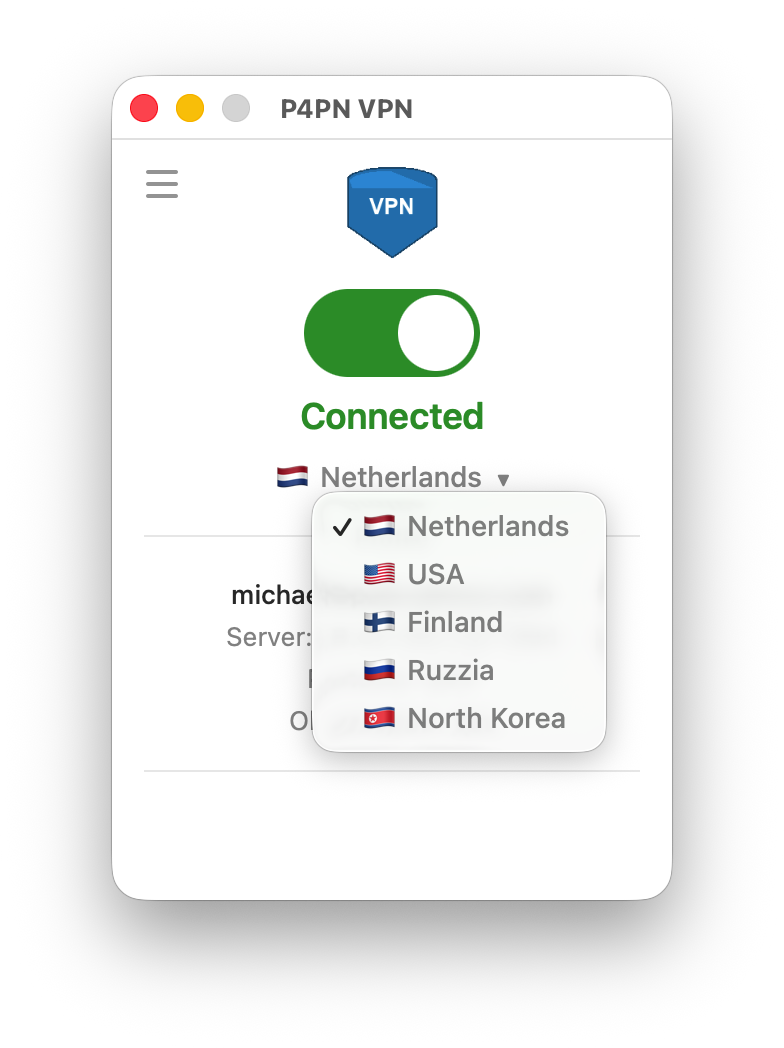
A: Yes! P4PN works both ways. If you grew up in the USSR or Russia and now live in the free world but still need to deal with Russian government portals, banks, or services that block foreign IPs - we've got you covered. Just select "Rozzия" in the country picker (yes, that's how we spell it) and you'll get a Russian IP address. File your taxes, check your pension, argue with your bank - whatever you need to do over there, virtually, without actually being there. Think of it as a round trip ticket with no customs and no turbulence.
Q: Is it really just one button?
A: Yes. Unlike many VPNs that greet you with a wall of settings, protocols, split tunneling options, and things you'll never touch, P4PN keeps it simple. Open the app, log in, tap connect. That's it. No configuration, no manual setup, no "advanced" tab you're afraid to click. It just works.
Q: Some sites (like my bank) don't work over the VPN. What can I do?
A: This is common. A handful of websites, usually banks and government portals, block all known VPN addresses on principle. For exactly these cases P4PN has dual tunneling (also known as split tunneling). It lets you pick the specific sites that should skip the VPN and connect through your normal internet, while everything else stays protected. Your bank sees your real address and lets you in; the rest of your browsing stays private and unblocked. It's optional and off by default, so if you never need it, you'll never see it.
Q: How do I use dual tunneling?
A: Open Settings in the app and find the dual tunneling section. With a single tap you can load our curated list of sites that are known to block VPNs (Russian banks, government services, Yandex, and so on), and you can add your own sites just by typing the address. Turn it off and you're back to the simple one-tap setup. Under the hood, P4PN routes by destination: the sites you choose go straight out through your local connection, and everything else travels through the obfuscated tunnel - so you keep privacy where it matters without breaking the sites that refuse to work with a VPN.
On Android there's an additional option: instead of (or alongside) choosing sites, you can pick whole apps to skip the VPN. This is handy for apps that refuse to run over a VPN at all - for example Gosuslugi, your banking app, or a delivery and taxi app that needs your real location. Tick the apps you want to exclude and they'll use your normal connection while everything else stays protected.
Q: Can my own computer be a VPN server?
A: Yes. The P4PN app on a Mac or Windows computer can run as a personal server: open the app menu (☰) and choose Personal Server Mode. It suits two main cases — sharing your open internet with family, friends or anyone in a censored country, and reaching your own home network safely while you are away. The computer has to stay on, and while it serves it can’t use the VPN itself. Who home servers are for and what you need.
Q: My personal server says port forwarding is needed. What does that mean?
A: Your router is the front door to your home network. It lets you out, but by default it lets nobody in. Your personal server is the exception — the people you invite have to be let in to use it. Port forwarding is the rule that lets them.
P4PN tries to add that rule for you, using a router feature called UPnP. Most routers support it and you’ll never see this message. Some have it switched off, and some don’t offer it at all.
Either fix works: turn UPnP on in your router’s settings and press Try Again in the app — or add one Port Forwarding rule yourself, using the port and address the app shows you, with UDP as the protocol. You only do it once.
The router’s address and password are usually printed on it (often 192.168.0.1 or 192.168.1.1); type the address into your browser. If your internet provider supplied the router and you can’t get in, ring them — say you need to “forward a UDP port” and read them the numbers from the app.
Q: What platforms are supported?
A: P4PN is available for macOS, Windows, iOS, and Android. We also provide a command-line interface for macOS and Linux for advanced users. Download the app from our Install page, create an account, and connect with a single tap.
Q: Can I help?
A: Absolutely, and we need your help. If you have access to a server anywhere in the world (a VPS, a dedicated machine, even a home server with a public IP), consider hosting a P4PN node to help people in censored countries connect to the free internet. Most of our servers run in the free world, and that's where we need the most capacity. A server in Russia or similar countries is also useful since many people abroad need to connect back. If you live in a restricted country, you can help by reporting connectivity issues, blockage patterns, and diagnostic information from your region, especially where we don't have people on the ground. Reach out to us at p4pn.net@gmail.com or through our Hotline page and we'll help you get set up.
Q: Still have questions?
A: Write to us at p4pn.net@gmail.com, join our Telegram channel @noblocksvpn, or visit our Hotline page.